[HDR]开启HDR后粒子多次叠加导致颜色偏黄
[HDR]开启HDR后粒子多次叠加导致颜色偏黄
[HDR]开启HDR后粒子多次叠加导致颜色偏黄
00 前言
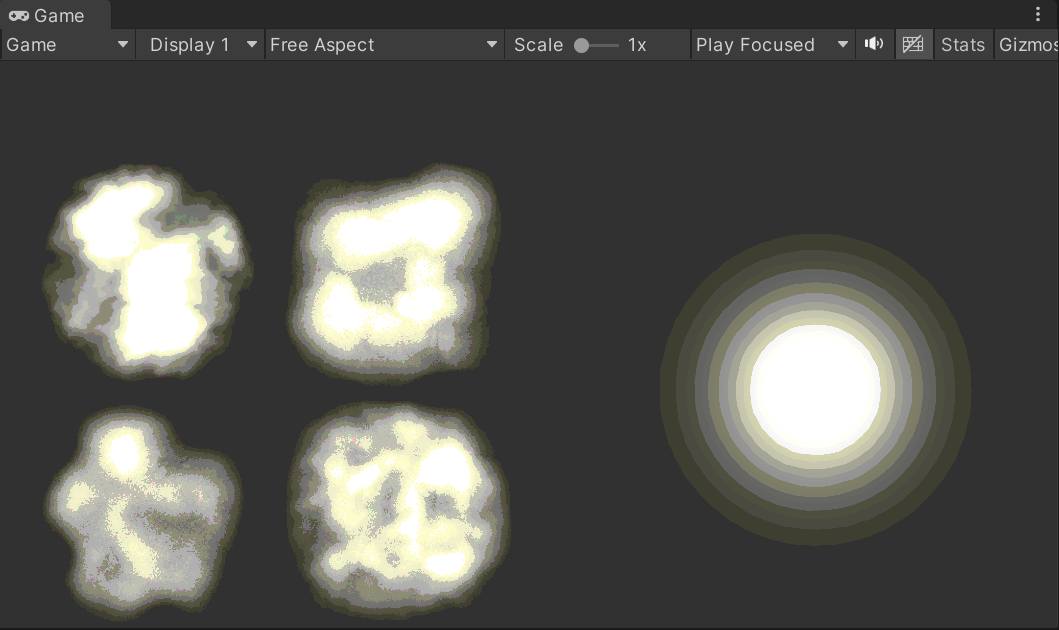
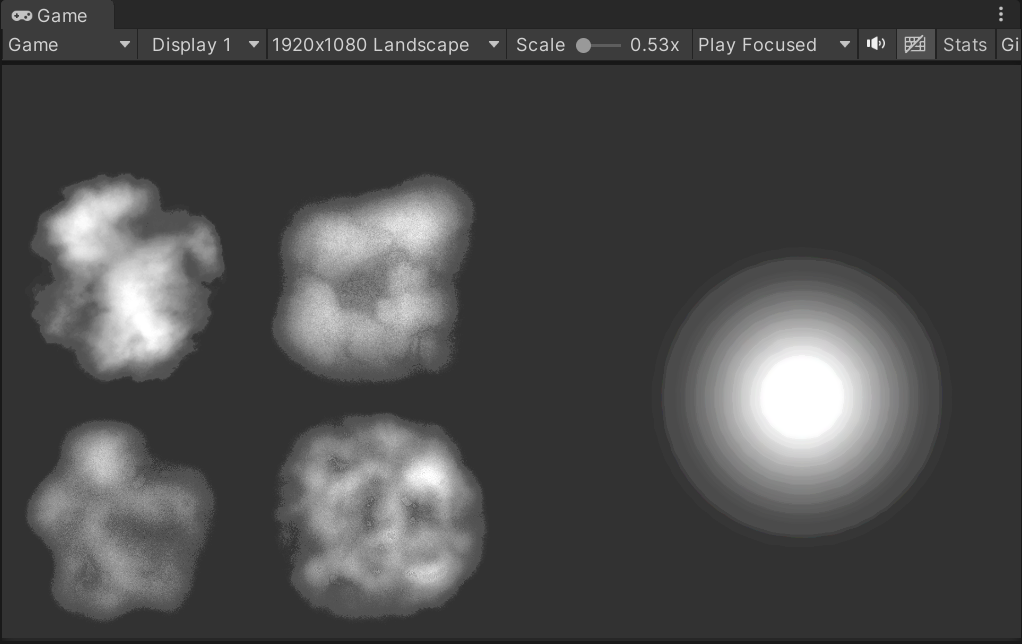
URP管线, 开启HDR, 将无色贴图透明度调低, 比如0.1左右, 然后叠加(20+层), 最终颜色会偏黄. 注意, 此时Scene视图是正常的.
01 原因
在URP中, Unity默认的HDR的Buffer格式为B10G11R11_UFloatPack32, 导致B通道精度低于RG通道, 多次叠加后会损失B通道精度. 最终的结果就是偏黄(RG通道). 而开启HDR时, Scene相机始终是R16G16B16A16_SFloat, 所以Scene相机始终正常.
通过嵌入Feature的方式, 可以知道每个摄像机的Buffer格式.
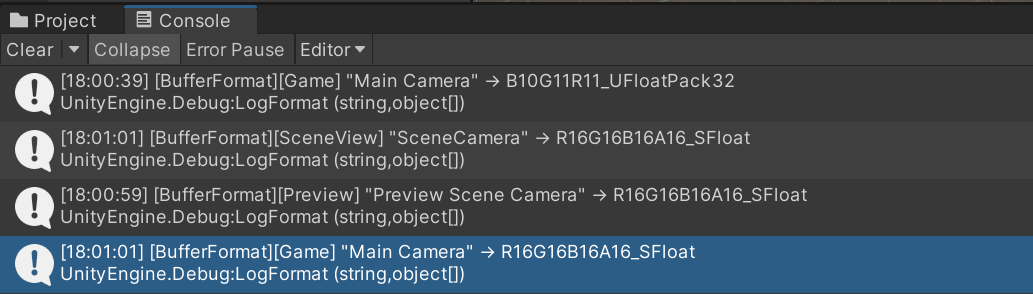
开启HDR时:
- Game相机: B10G11R11_UFloatPack32
- Scene相机: R16G16B16A16_SFloat
- Preview相机: R16G16B16A16_SFloat
强制开启Alpha输出时:
- Game相机: R16G16B16A16_SFloat
- Scene相机: R16G16B16A16_SFloat
- Preview相机: R16G16B16A16_SFloat
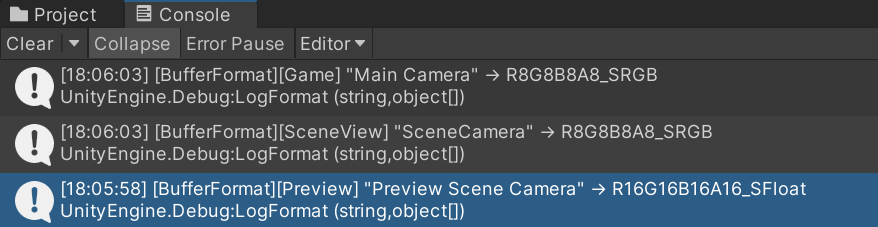
关闭HDR时:
- Game相机: R8G8B8A8_SRGB
- Scene相机: R8G8B8A8_SRGB
- Preview相机: R16G16B16A16_SRGB
02 处理方法
方法一: 将Buffer格式换为R16G16B16A16_SFloat可以处理, 但所有的中间Buffer大小会增加一倍.
具体切换代码:1 2 3 4 5 6 7 8 9 10 11 12 13 14 15 16 17
/// <summary> /// 强制开启HDR下的输出图的Alpha通道, 会让输出的Buffer大小加倍 /// </summary> public static class PreserveFrameBufferAlphaMenu { [MenuItem("LookDev/PreserveFrameBufferAlpha/On")] private static void PreserveFrameBufferAlphaOn() { PlayerSettings.preserveFramebufferAlpha = true; } [MenuItem("LookDev/PreserveFrameBufferAlpha/Off")] private static void PreserveFrameBufferAlphaOff() { PlayerSettings.preserveFramebufferAlpha = false; } }
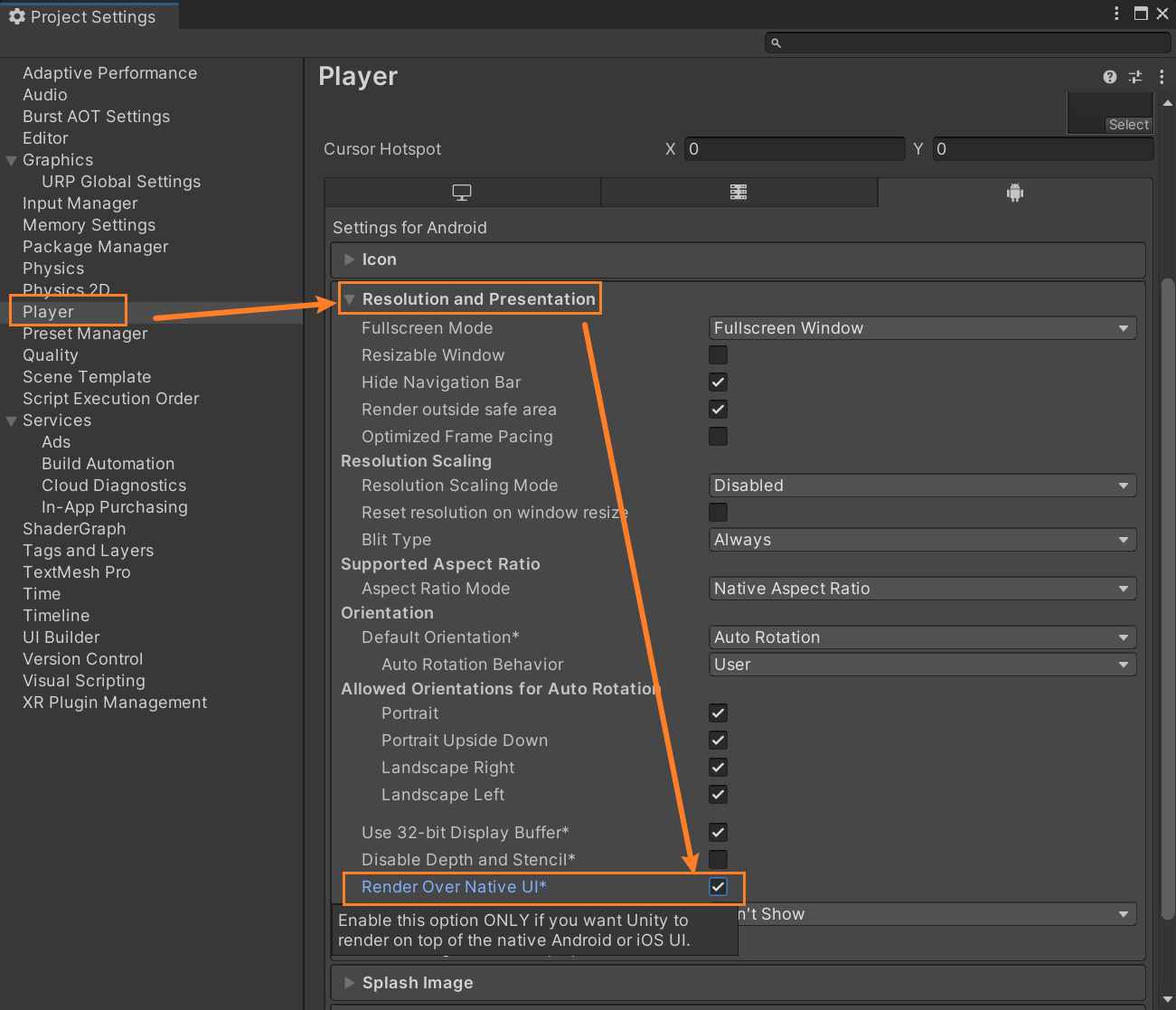
工程打包可以用开启Render Over Native UI来开启
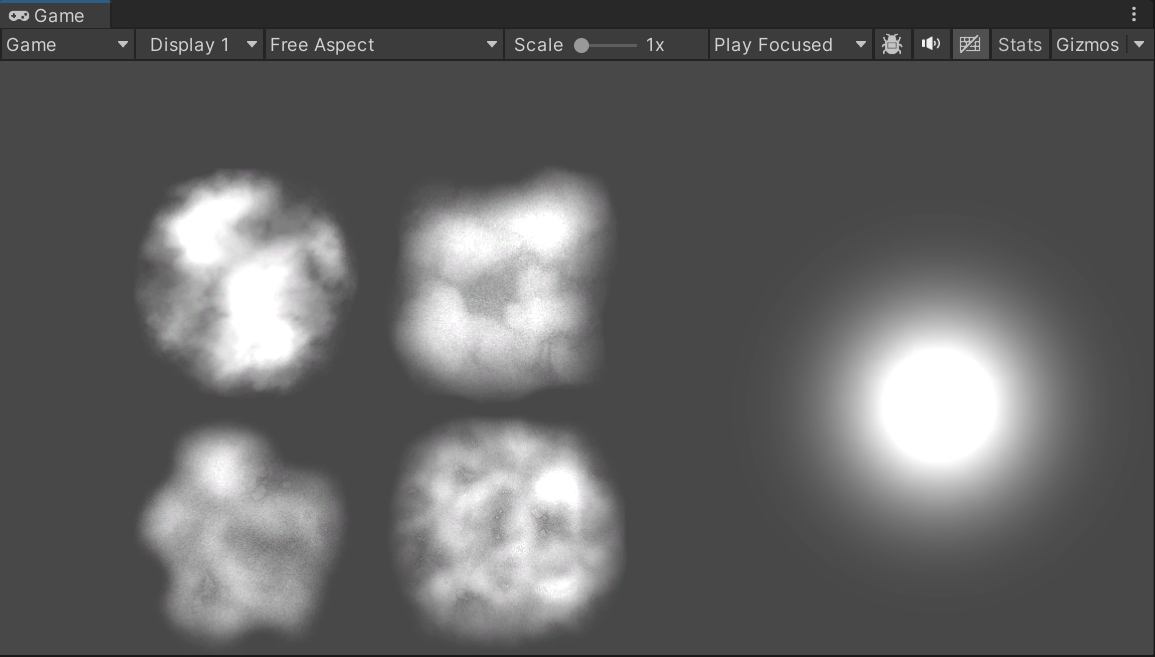
方法二: 关闭镜头的HDR, 如果该镜头不需要HDR, 则可以关闭, 关闭后, 会因为精度不够导致分层, 但不会偏色.
方法三: 美术调整, 增加蓝色的数值, 降低红绿数值, 但这个在粒子系统上行不通, 因为粒子系统的叠加层数是变化的, 会导致层数少的时候偏蓝, 层数多的时候偏黄, 只能保证部分正常
注意: 之所以分层, 并不是最终R8G8B8A8的输出格式导致的, 而是在中间的半透明叠加计算时候(B10R11G11, 或者R8G8B8A8)导致的.
03 相关源代码
测试用着色器, 仿特效粒子Add
1
2
3
4
5
6
7
8
9
10
11
12
13
14
15
16
17
18
19
20
21
22
23
24
25
26
27
28
29
30
31
32
33
34
35
36
37
38
39
40
41
42
43
44
45
46
47
48
49
50
51
52
53
54
55
56
57
58
59
60
61
62
63
64
65
66
Shader "GWM/UnlitAdditive"
{
    Properties
    {
        _MainTex ("Texture", 2D) = "white" {}
        _Color   ("Tint Color", Color) = (1,1,1,1)
    }
    SubShader
    {
        Tags { "RenderType"="Transparent" "Queue"="Transparent" }
        LOD 100

        Pass
        {
            // 开启 Additive 混合:Src*1 + Dst*1
            Blend SrcAlpha One
            BlendOp Add

            // 透明对象不写入深度;免除背面剔除
            ZWrite Off
            Cull Off

            HLSLPROGRAM
            #pragma vertex Vert
            #pragma fragment Frag

            #include "Packages/com.unity.render-pipelines.universal/ShaderLibrary/Core.hlsl"

            struct Attributes
            {
                float4 positionOS : POSITION;
                float2 uv         : TEXCOORD0;
                float4 Color : COLOR;
            };

            struct Varyings
            {
                float4 positionCS : SV_POSITION;
                float2 uv         : TEXCOORD0;
                float4 Color : TEXCOORD1;
            };

            // Uniform
            TEXTURE2D(_MainTex);
            SAMPLER(sampler_MainTex);
            float4 _Color;

            Varyings Vert(Attributes IN)
            {
                Varyings OUT;
                OUT.positionCS = TransformObjectToHClip(IN.positionOS.xyz);
                OUT.uv         = IN.uv;
                OUT.Color = IN.Color;
                return OUT;
            }

            half4 Frag(Varyings IN) : SV_Target
            {
                // 采样并叠加颜色
                half4 tex = _MainTex.Sample(sampler_MainTex, IN.uv);
                return tex * _Color * IN.Color;
            }
            ENDHLSL
        }
    }
}
测试用Buffer格式输出代码
1
2
3
4
5
6
7
8
9
10
11
12
13
14
15
16
17
18
19
20
21
22
23
24
25
26
27
28
29
30
31
32
33
34
35
36
37
38
39
40
41
42
43
44
45
46
47
48
49
50
using UnityEngine;
using UnityEngine.Rendering;
using UnityEngine.Rendering.Universal;

public class DumpCameraBufferFormatFeature : ScriptableRendererFeature
{
    [Tooltip("Enable logging of camera buffer formats")]
    public bool enableLogging = false;

    class DumpPass : ScriptableRenderPass
    {
        private readonly System.Func<bool> _shouldLog;

        public DumpPass(System.Func<bool> shouldLog)
        {
            _shouldLog = shouldLog;
            renderPassEvent = RenderPassEvent.AfterRenderingOpaques;
        }

        public override void Execute(ScriptableRenderContext context, ref RenderingData renderingData)
        {
            if (!_shouldLog())
                return;

            var cam        = renderingData.cameraData.camera;
            var descriptor = renderingData.cameraData.cameraTargetDescriptor;

            Debug.LogFormat(
                "[BufferFormat][{0}] \"{1}\" → {2}",
                cam.cameraType,
                cam.name,
                descriptor.graphicsFormat
            );
        }
    }

    private DumpPass _pass;

    public override void Create()
    {
        // 将 Inspector 中的 enableLogging 传入 Pass
        _pass = new DumpPass(() => enableLogging);
    }

    public override void AddRenderPasses(ScriptableRenderer renderer, ref RenderingData renderingData)
    {
        // 始终将 Pass Enqueue,但内部会根据 enableLogging 决定是否打印
        renderer.EnqueuePass(_pass);
    }
}
参考网页
本文由作者按照 CC BY 4.0 进行授权